Phase 1 Beta — 20 Teams

Production workspace for every creative team

Stago brings together your entire production process — scripts, storyboards, shoots, drafts, reviews, meetings, and AI tools — into one intelligent workspace.

Any stageScript to delivery
AI-poweredAnalysis & generation
Free beta3 months Pro access
Video Review· AI Storyboard· Script Collaboration· Image Approval· Music Selection· Meetings Analysis· Visual Search· AI Transcription· Client Portal· Psychotype Analysis· YouTube Thumbnails· Project Workflow· Video Review· AI Storyboard· Script Collaboration· Image Approval· Music Selection· Meetings Analysis· Visual Search· AI Transcription· Client Portal· Psychotype Analysis· YouTube Thumbnails· Project Workflow·

Capabilities

One workspace.
The entire process.

Stago is not a single tool — it's the production environment your whole team lives in, from concept to client approval.

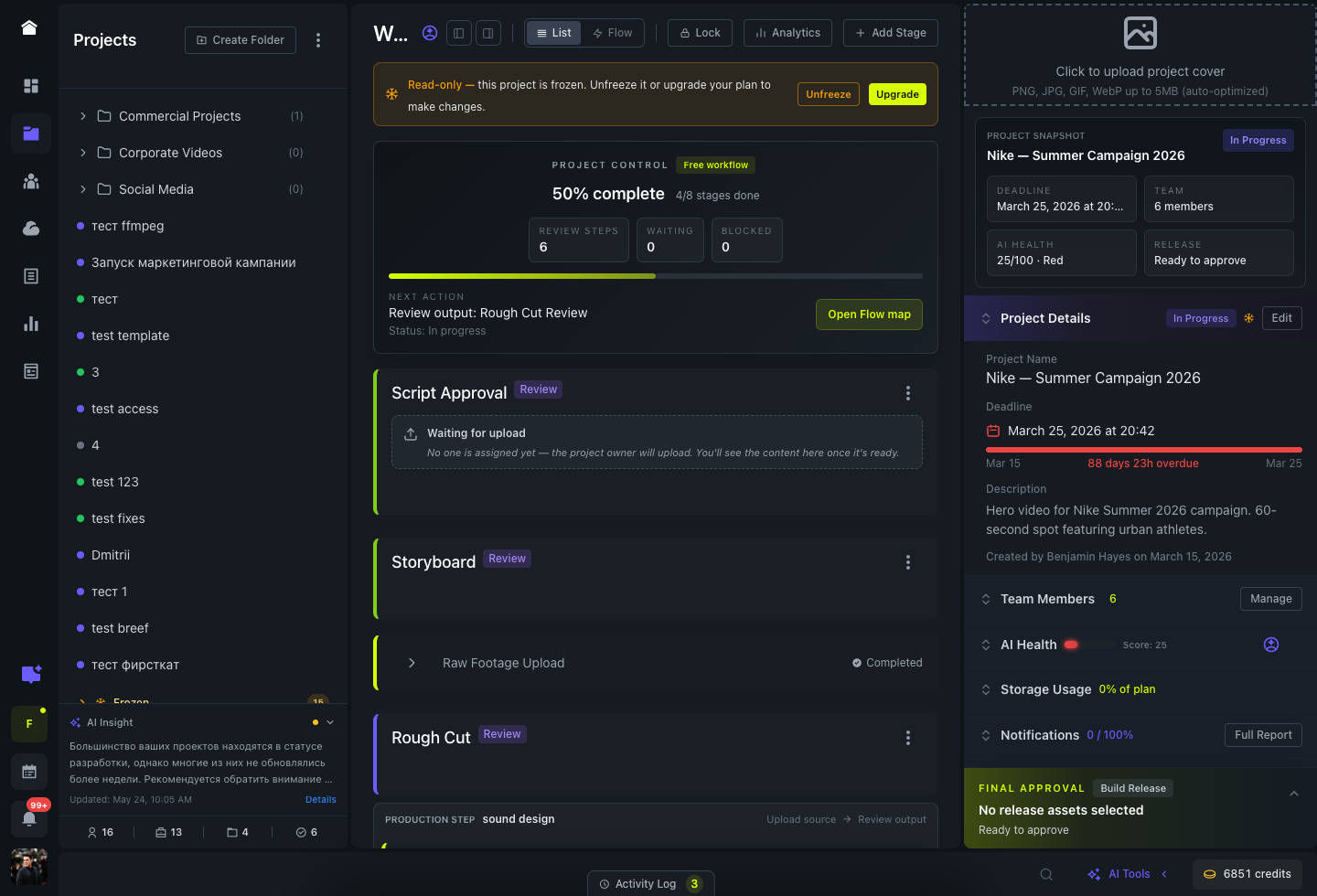
Project & Workflow

Stages for any production type, team roles, group access control

Review & Approval

Video, image, track, and document review with precise comments

AI Tools

Storyboard generation, content analysis, YouTube tools, transcription

Meetings Intelligence

AI analysis of calls: semantics, psychotypes, action items, pipeline

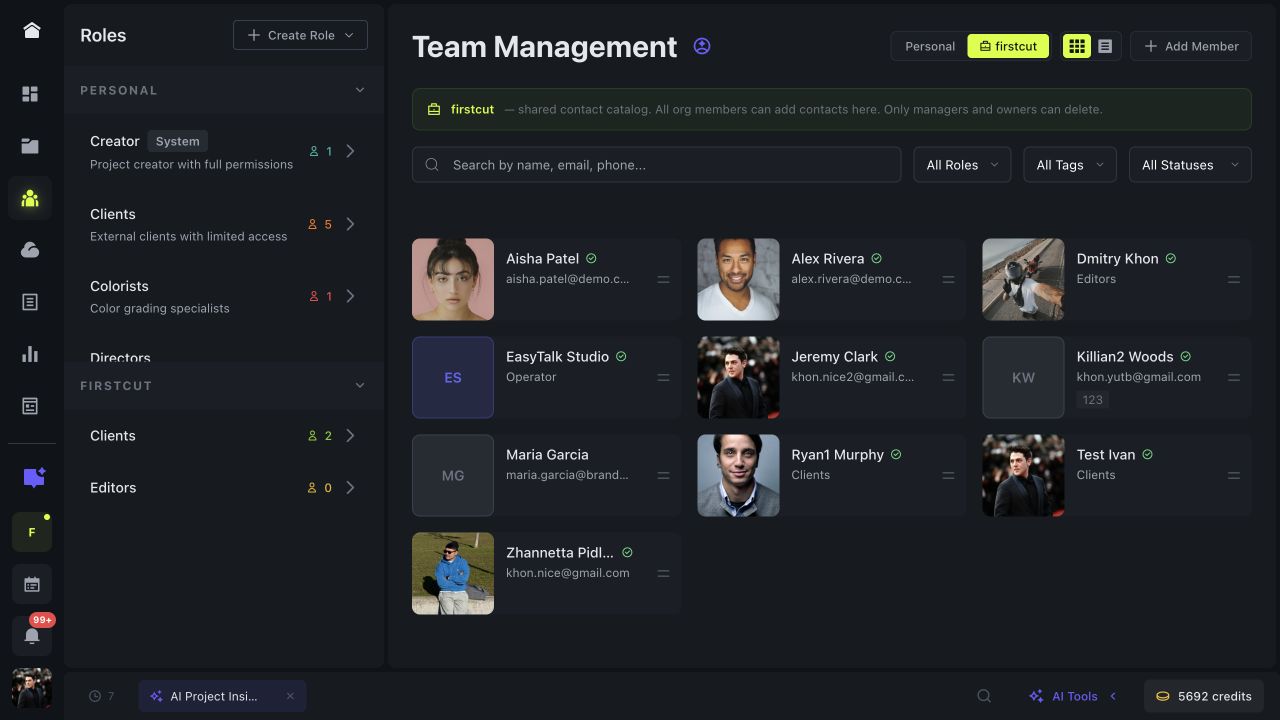
Team & Clients

Group-based access, client portal, guest review without account

Brand Campaign Q2 — Stages In Progress
1. Concept & ScriptApproved
2. AI StoryboardApproved
3. Shoot DayActive
4. Rough CutLocked
5. Color & SoundLocked
6. Client DeliveryLocked
Stage 4 — Rough Cut Review In Review
01:26 / 03:52
00:42Alex (Client)
Can we change the music here? Too energetic for the brand tone.
01:15Marina (Editor)
Updated — switched to the calm acoustic version.
AI Tools — Project Health AI
Overall Health87
TimelineOn Track
Pending3 items
💡 Stage 4 approval pending 3 days. Client reminder recommended to meet the Friday deadline.
AI Meeting Analysis AI
AK
Alex K. · Host
Dominant
MP
Maria P. · Client
Conscientious
Generated Pipeline
1. Script approval — 5 days
2. Storyboard generation — 3 days
3. Shooting — 2 days
Groups & Access Control
EditorsEdit · Upload · Comment
DirectorsFull Access
ClientsView · Comment · Approve
GuestsView only

Any stage. Any workflow.

Not just video production

A stage can be anything your team works on. Create the workflow that matches your actual process.

Script Writing

Collaborative text editing, comments, version history

Document

AI Storyboard

Generate panel-by-panel storyboard from script with AI images

AI Generated

Shoot Day

Production stage with task tracking and file upload

Task

Music Selection

Upload tracks, team votes, client approves each one individually

Audio Review

Image Review

Approve photos and graphics — comment on each image separately

Visual

Video Draft

Timestamp comments, approval workflow, version history

Video

Meeting

Record or upload a call — AI transcribes, analyzes, creates action plan

AI Analysis

Delivery

Final files, client sign-off, project archive

Milestone

Review System

Comment on anything.
Precisely.

Every content type gets its own review tool. No generic comments — always in context.

Video Review

Comments pinned to exact timestamps. Scrub to any moment, see who said what and when. Full approval workflow.

  • Timestamp-anchored comments
  • Frame-accurate annotation
  • AI comment summarization
  • Client portal (no login)

Image & Visual Review

Review photo sets, key art, storyboard panels, or graphic assets. Comment on each image individually.

  • Per-image commenting
  • Annotation on canvas
  • Batch approval
  • Version comparison

Audio & Document Review

Approve music tracks one by one, or comment on scripts and documents with text-anchored annotations.

  • Per-track approval
  • Document text anchoring
  • Inline comments
  • AI-generated summary

Artificial Intelligence

AI that works for your production

Not generic AI — tools built specifically for the creative industry workflow, from script to analytics.

AI

Storyboard Generation

Upload a script — AI parses scenes, generates panel descriptions, and creates images maintaining consistent visual style across all panels.

  • Script scene parsing
  • Consistent style seed across panels
  • Shot type, camera angle, mood per panel
  • Batch generation with progress tracking
AI

Content Analysis

Deep AI analysis of your video content: find any moment by phrase, visual element, brand color, or object.

  • Search by spoken phrase in video
  • Visual search by color and brand
  • Object and scene detection
  • YouTube chapters auto-generation
AI

YouTube Tools

Generate YouTube-optimized thumbnails, chapter timestamps, and descriptions directly from your video content.

  • AI thumbnail generation
  • Auto chapter timestamps
  • Description & tags optimization
  • A/B thumbnail variants
AI

Transcription & Summary

Automatic transcription of video and audio. AI converts raw comments into structured, human-readable summaries for clients.

  • Multi-language transcription
  • Comment thread summarization
  • "Human language" client digests
  • Full text search in transcripts

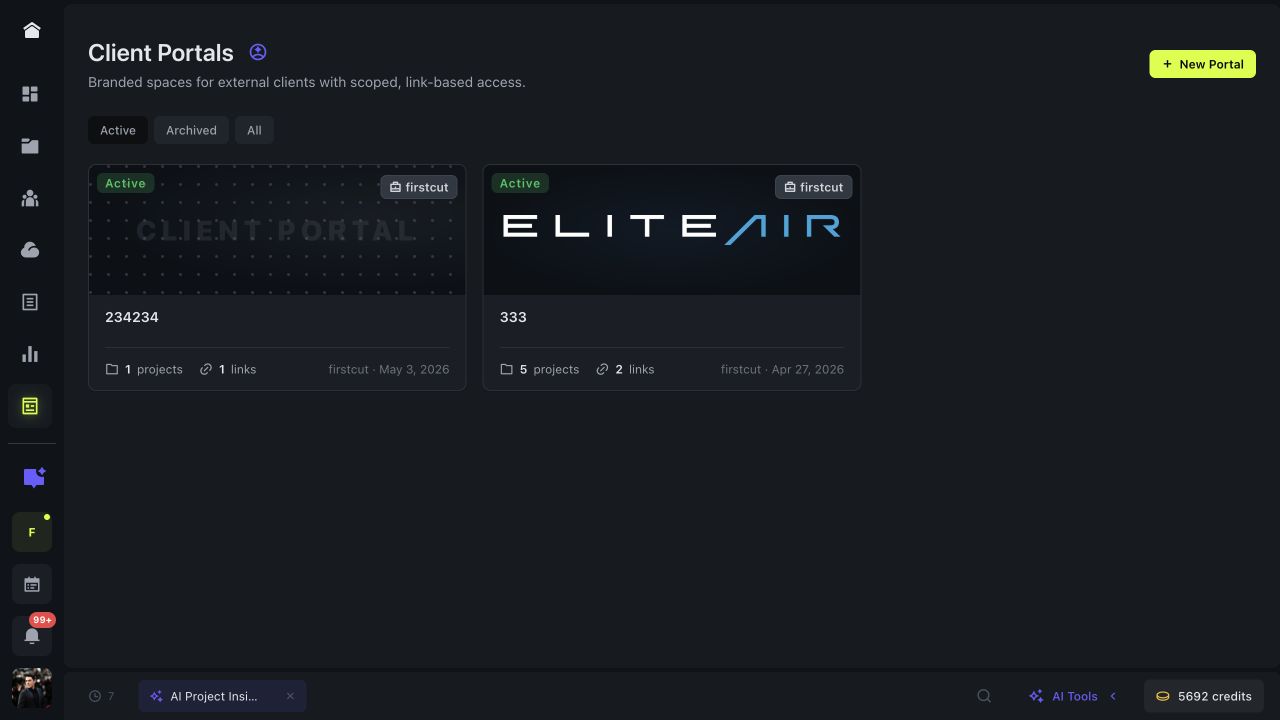
Client Portals

Hand off projects without
handing over Slack.

A branded space your client opens from a single link. They review, comment, and approve — no signup, no friction. You stay in control of what's visible and what they can do.

  • No-account guest access

    Clients open a link and they're in. Just a name (and optional email for notifications). Zero signup friction.

  • Permission-scoped links

    Mint multiple links per portal: view-only for execs, comment + approve for PMs, upload-capable for feedback. One portal, many roles.

  • Fully branded

    Your logo, colors, fonts. No "Powered by" footer on Pro+. Custom domain (portal.acme.com) on Business — feels like the client's own tool.

  • Approvals built-in

    Client clicks Approve or Request Changes at the stage level. You get real-time alerts and a full audit trail of every action.

  • Stage-level visibility control

    Hide internal planning, drafts, and timelines. Clients see only what you mark visible — they don't even know the rest exists.

  • Passwords, expiry, revoke

    Lock sensitive portals behind a password. Set link expiry (7 days, 30 days, never). Revoke instantly if a link leaks.

Acme Co. · Project Reviews
portal.acme.com
Secure link
Product Launch · Stage 3
Color Grade Review
Uploaded by Marina P. · 2 hours ago
00:42 / 01:38
00:34 You just now
Skin tones look slightly cool — can we warm them up by ~200K?
Marina & Dmitri notified No registration required

Team Intelligence

Know who excels
at what.

Multi-dimensional performance scoring across executor, reviewer, and reliability axes. AI recommends the right person for every stage based on real history — not gut feel.

  • Three-axis scoring

    Executor score (speed, first-try approval, deadline adherence) + Reviewer score (thoroughness, response time, balance) + Reliability — combined into one Overall Score 0-100.

  • AI stage recommendations

    When you assign someone to a stage, AI suggests "Best choice" + "Alternative" with concrete reasons: success rate, deadline patterns, content specialization, recent revision count.

  • 12-week trend lines

    Score movement per member over time. Catch regression before it impacts a project. See who's getting better, who needs support.

  • Project-relative speed

    Response times scored against the project's own average — not a fixed threshold. Faster than your team's norm = higher score, regardless of industry.

  • Auto-refreshed every 6 hours

    Background job recalculates all metrics from raw activity logs. No manual surveys, no quarterly reviews — always current.

  • Export-ready

    One-click CSV of the entire ranking — for budgeting decisions, incentives, or rebalancing workload across the team.

Member Metrics · Last 30 days Auto-updated
Your overall
86
Rank #1 of 8
↑ +4 in 12 weeks
Team ranking
#1
SL
Sarah Lee 88
#2
MK
Marcus K. 84
#3
PT
Pat Torres 76
#4
DN
Diana N. 68
AI recommendation · Color Grade Stage
🎯 Best
SL
Sarah Lee
98% deadline adherence · 89% first-try · 24 similar tasks · 1.2 avg revisions
HIGH
💡 Alt.
MK
Marcus K.
91% deadline · 85% first-try · more detailed feedback · pick if Sarah is busy
MED

Interface

Designed for long work sessions

Dark-first UI. Every pixel serves a purpose. Optimized for focus, not distraction.

Pricing

Transparent. No surprises.

Beta testers get 3 months free on Pro. No card required.

Monthly Yearly Save 20%
Free
$0 / mo
Forever free for solo creators
  • 1 project
  • Join up to 3 projects
  • 2 GB storage
  • Up to 3 members/project
  • Timestamp comments
  • 30 AI credits / month
  • Telegram notifications
  • Client portals
  • Stage templates
Base
$29 / mo
Per workspace · billed monthly
  • 5 projects
  • Unlimited project participation
  • 500 GB storage
  • Up to 10 members/project
  • 300 AI credits / month
  • Credit purchases (up to 1,500/mo)
  • 1 client portal · 1 link
  • Email alerts for portal activity
Business
$199 / mo
Per workspace · billed monthly · 5 seats included
  • Unlimited projects & members
  • 3 TB storage (+ overage billing)
  • 4,500 AI credits / month (shared pool)
  • Everything in Pro
  • Organization workspace · central billing
  • Unlimited client portals · custom domain
  • Portal activity CSV export
  • Early AI feature access
🎁 Beta offer: All accepted teams get 3 months Pro free. In return: honest feedback, a short testimonial, and permission to feature your case study. No commitment to continue.

Beta Program

Apply for
Phase 1 Testing

We're onboarding 20 teams personally. Every team gets direct access to the founding team throughout the beta.

About you
Please enter your name
Valid email required

Your team
Please select team size

Socials (optional)

Tell us more
Please describe your challenge

We respond within 48 hours. Privacy Policy & Terms of Service

Application received!

Thank you for applying to Stago Beta Phase 1.
We'll reach out within 48 hours to schedule your onboarding call.

Follow us on Instagram and YouTube for product updates and behind-the-scenes content.

FAQ

Common questions

What does beta tester mean exactly?
You get full Pro access free for 3 months, personal onboarding, and direct communication with the founding team. In return we ask for regular honest feedback, bug reports, and a short testimonial at the end. This is a real partnership — not a marketing trial.
Do my clients need to create an account?
No. You share a secure link — client opens it in any browser and can view content, leave timestamped comments, and approve stages without registration. This is one of our most praised features.
What content types can I review in Stago?
Video (with timestamp comments), images (per-image annotation), audio tracks (individual track approval), documents and scripts (text-anchored comments). Each content type has its own optimized review tool.
Is my data safe during beta?
Yes. Stago runs on a production-grade Rails backend with encrypted credentials, role-based access control, and daily backups. That said — beta software may have rough edges. We recommend starting with non-critical projects first.
What happens after the 3-month beta period?
Your data stays intact. You'll receive an offer to continue on a paid plan — beta testers get a permanent 20% loyalty discount. No commitment required, and you can export all your data at any time.
Can I use Stago for non-video productions?
Absolutely. Stago stages can be anything: script writing, photography shoots, podcast production, brand campaigns, music projects. The workflow system is flexible — you define what each stage is and what gets produced in it.