Client input enters through a controlled door.
Start with a reusable intake form. Review the AI-assisted production plan, approve it, create the project, then keep client work inside a branded portal.
A brief that prepares the work.
Create and publish reusable templates, send a public intake link, and collect answers or files without requiring a client account. Stago synthesizes the intake and suggests concrete production stages for the team to review before project creation.
- Reusable organization brief templates
- Public client intake with uploads
- AI summary, risks, missing information, and suggested stages
- Owner review, plan editing, approval, and project creation
- 01Collect
The client answers structured questions and adds reference files.
- 02Synthesize
Stago identifies missing information, risks, and a suggested plan.
- 03Review
The owner edits the stages, responsibilities, and approval gates.
- 04Create
An approved brief becomes a production project.
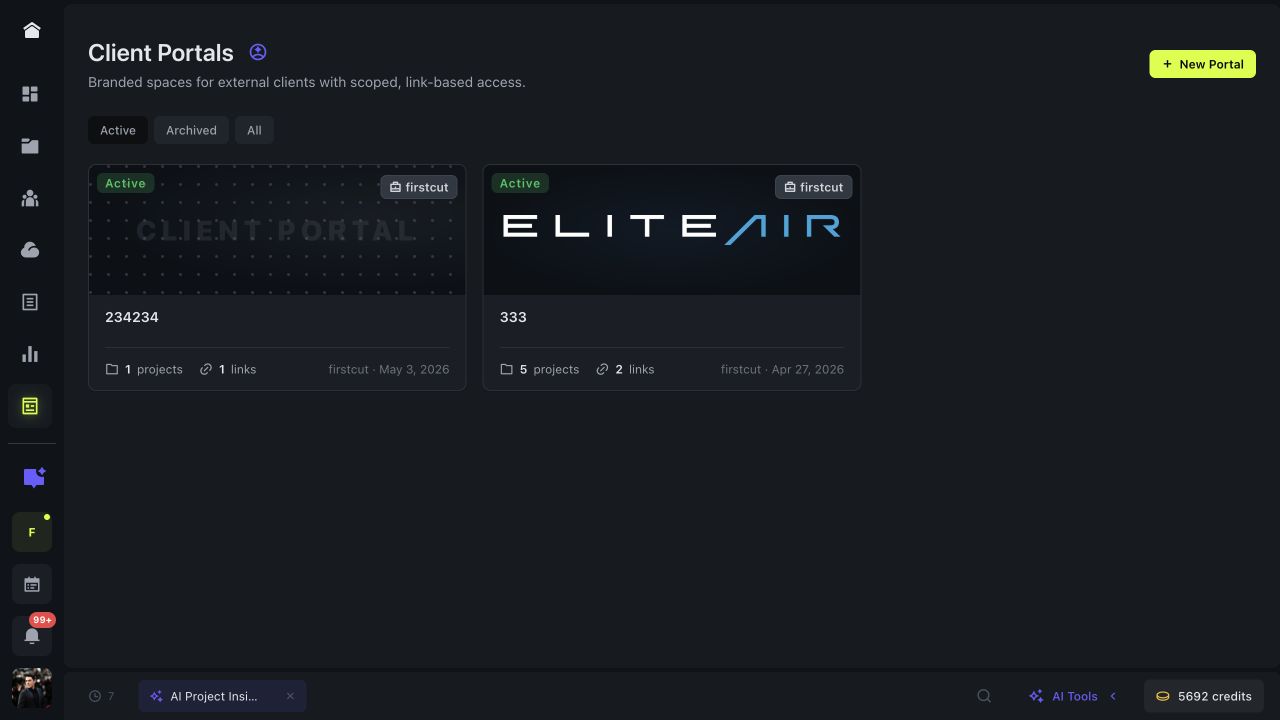
Keep each client inside the right scope.
A portal can span several projects for one client. Control its branding, internal name, public display name, links, expiration, comments, downloads, uploads, review, and approval.
- Persistent branded client spaces across projects
- Scoped and expiring portal links
- Public access without a Stago client account
- Activity for visits, comments, uploads, downloads, review, and approval